Tech Thursday (9/8/2022): Back to School Lessons from Nearpod Tech Thursday (9/8/2022): Back to School Lessons from Nearpod

  Back to School Lessons from Nearpod If you are looking to get to know your students academically or establish strong relationships with th...

Tech Thursday (2/17/2022): Celebrate Digital Learning Day with Nearpod! Tech Thursday (2/17/2022): Celebrate Digital Learning Day with Nearpod!

  Digital Learning Day is Tuesday, February 22, 2022 Celebrate with Nearpod! Digital Learning Day is a time to share and reflect how we are ...
Technology Thursday: Ideas for Differentiation with Nearpod Technology Thursday: Ideas for Differentiation with Nearpod

  Tips for Using Nearpod to Differentiate Student Learning Check out this blog post from Nearpod that has some handy tips to differentiate ...

Weekly Update Weekly Update

 Check out these upcoming Training Opportunities Please mark your calendars!  These trainings are being offered by the company and will be c...

Weekly Update Weekly Update

Google Meet Attendance Some of you have already started receiving attendance spreadsheets for meets you are hosting, this is an automated fe...

Weekly Update Weekly Update

  Nearpod is active! Look for it in you classlink dashboard.  Support Sessions will be offered next week bit.ly/jcpsteacher Added to the Tro...

Weekly Updates Weekly Updates

Guidance on Instruction Document released yesterday Yesterday TAC reviewed and discussed a guidance document prepared by Tech and Curriculum...

Nearpod is Offering Teacher Appreciation Week Freebies! Nearpod is Offering Teacher Appreciation Week Freebies!

Nearpod is offering twenty-four of their most popular lessons for free this week in honor of Teacher Appreciation Week! Your free t...

Showing posts with label nearpod. Show all posts

Thursday, September 8, 2022

Tech Thursday (9/8/2022): Back to School Lessons from Nearpod


Back to School Lessons from Nearpod

If you are looking to get to know your students academically or establish strong relationships with them (and each other), check out Nearpod lessons! Nearpod's "Back to School Lesson Library" will help simplify planning with lessons across all grade levels for:

  • Core skills and topics across multiple subjects
  • Learning strategies
  • SEL
  • Surveys and culture builders
Explore the library HERE, but remember to access Nearpod via ClassLink!


If you are not yet familiar with Nearpod, it is an interactive slideshow tool that promotes engagement and collaboration during both live and student-paced lessons. Students are encouraged to actively participate in lessons while teachers get valuable feedback from their responses that they can use to plan next steps. JCPS has a subscription to this tool so that educators have access to the upgraded features. If you would like to learn more about how to get started using Nearpod, visit the Digital Leaning Team's Nearpod page HERE.


Click HERE to see all of the district's digital tools subscriptions for the school year.


Thursday, February 17, 2022

Tech Thursday (2/17/2022): Celebrate Digital Learning Day with Nearpod!


Digital Learning Day is Tuesday, February 22, 2022
Celebrate with Nearpod!


Digital Learning Day is a time to share and reflect how we are using digital teaching and learning tools and even try new tools and strategies.  

If you haven't tried Nearpod yet, now is a great time! Nearpod has put together a great list of of their favorite ways to celebrate (check out full details and information with links to activities HERE):

1. Start simple with a virtual activity like Matching Pairs, Collaborate Board, and Draw It.

2. Share your digital learning experience. Tweet @nearpod using the hashtag #DLDay.

3. Practice good digital citizenship with one of many available lessons and activities. Just search "digital citizenship" and choose by topic and grade level.

4. Try Nearpod's whiteboarding by modeling a math problem or creating a diagram during a live lesson.

5. Try a gamified quiz with Time to Climb. Chose from the standards-aligned content library or make your own in just minutes.

6. Join the Digital Learning Day Nearpod Webinar on Thursday, February 17th (register to pick a time) to learn how to quickly create a lesson in Nearpod that you will be able to share with your students on Digital Learning Day. Bring your PowerPoint, Google Slides, or just your imagination, and walk step by step through making a short, effective Nearpod lesson. This is a make and take, no presentation, just come learn and create session.


Check out the one-pager above to explore tech tools such as interactive activities, formative assessments, digital citizenship lessons, and more. Download it and share with your colleagues. 


There's more! If you are looking for some free virtual professional development, then Camp Engage is the event for you! Beginner and advanced users will walk away with a better understanding of different ways Nearpod can help with differentiation and streamlining instruction in the classroom.


Thursday, January 27, 2022

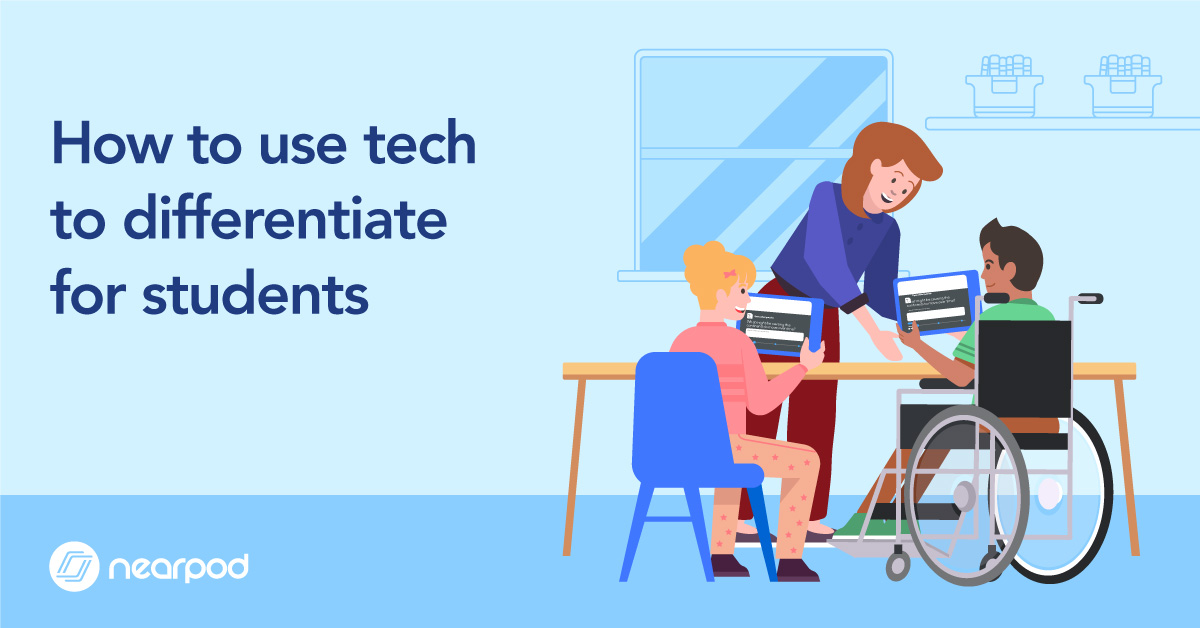
Technology Thursday: Ideas for Differentiation with Nearpod


Tips for Using Nearpod to Differentiate Student Learning


Check out this blog post from Nearpod that has some handy tips to differentiate learning for your students. JCPS has a premium subscription to Nearpod and our educators have access to thousands of pre-built activities including 3D images, virtual reality experiences, collaborative tools, and assessment activities.

One of the tips that spoke to me was the ability to use the self-paced mode of Nearpod. When a student finishes early or needs extra support, consider creating a Nearpod self-paced lesson for the student to complete at their own pace. Designing these resources at the beginning of the unit will help keep your students learning on track as they can seamlessly use the resource as needed.

Want to learn more about Nearpod? They offer free monthly live webinars on their Teacher Resource page as well as on-demand videos.


Friday, November 13, 2020

Weekly Update

 Check out these upcoming Training Opportunities

Please mark your calendars!  These trainings are being offered by the company and will be customized to Johnston County Schools I hope you will try to attend any that are applicable to your grade level.


Attention: Tech and Media Leaders

RELAY classroom updated their training site and it no longer provided a quiz, we are providing a quiz to accompany the training.  Please continue to encourage teachers to participate in the training prior to using the tool: Here is a link to the new quiz (which links to the training).  I have also updated on the Troubleshooting Guide: bit.ly/troubleshoot101

Thursday, October 8, 2020

Weekly Update

Google Meet Attendance

Some of you have already started receiving attendance spreadsheets for meets you are hosting, this is an automated feature and we have no control over the release or functionality. But here is how it should work. When you host a meet, within a few hours of it ending you will get an attendance report of the students email, name, how long they were in attendance, time joined and time exited. The file will come from the following email: meetings-noreply@google.com and will be named with the date and the "meet's assigned shortname"

Google Engagement Tools

Breakout and Polls are in progress of rolling out - they will be showing up soon. Look for this logo in the top right to get started.

Breakout rooms can be assigned and attendance for each room will be taken! Great stuff


New Logo for all students

We are in the process of moving all students profile pictures to the school logo they will not be able change it. This will allow better identification of student account and less issues with inappropriate use of their account.


Resources from Nearpod

I just wanted to take a quick minute and share some Nearpod resources to help you conquer all of the ghosts and goblins of this October. 

  •  Perspective Analysis lessons: A collection of quick activities centered around one piece of media designed to build critical thinking and reflection skills with two types of activities. Check them out here
  • Hair to the Queen: These two lessons for K-5 teach about cancer in a compassionate and supportive way, through a short story that features diverse characters. One of the lessons provides read-aloud support where parts of the story are narrated by a child. Download here: http://bit.ly/hairqueen
  • Election Day is just around the corner.  Check out our Election Day Lessons HERE
  • Hispanic Heritage Month is here and we have a contest going on.  Take a look at the great lessons HERE
As always you can check out our archived webinars  or attend a live webinar to learn more about how to incorporate Nearpod and Flocabulary into your classroom. 
 

120334793_4014070548609195_3245437301175411948_o.jpg

Friday, September 11, 2020

Weekly Update

 Nearpod is active!

Look for it in you classlink dashboard.  Support Sessions will be offered next week bit.ly/jcpsteacher
Added to the Troubleshooting Guide this week: bit.ly/troubleshoot101

Math ipads - we were able to provide some ipads to the 6-12 math departments if they need assistance with anything please refer them back to Amy Stanley or April Richardson.

Linda Gardner has retired. A replacement is being sought - we appreciate your patience as we continue to support you in the services she previously took care of.  If you need a quote for something contact Christa Leverette until a replacement is secured.  

Reminder if you need a staff patron added please use this form: bit.ly/addpatron and if you have asset that needs to be created as a golden record please use this form: bit.ly/jcspasset


September 30 from 9am-12pm a statewide event for Media and Technology Facilitators if you are interested click on the link above to register.


Thank you for continuing to support the families through the Tech Help website!

Friday, August 28, 2020

Weekly Updates

Guidance on Instruction Document released yesterday

Yesterday TAC reviewed and discussed a guidance document prepared by Tech and Curriculum hopefully this will help with questions and concerns around instructional delivery.
Click here if you would like to see the document.

Streamlining Application Assistance

If you are having trouble with an app - please use this form so we can get your request handled and look for trends that might warrant global adjustments. bit.ly/jcpsapphelp


New support documents added to the Troubleshooting Guide

This week I have added new documents to the Troubleshooting Guide: bit.ly/troubleshoot101

Lexia and the older Acers (2014 that will not update past Chrome 74) are not friends - thanks to Benson E for lots of troubleshooting if at all possible you want to avoid this model for Lexia activities.

Nearpod coming!

We hope to have the upgrade active next week.  New features if you have't used Nearpod before and want to know what it can do - check out this video.  Training to be posted on bit.ly/jcpsteacher


Tuesday, May 5, 2015

Nearpod is Offering Teacher Appreciation Week Freebies!


Nearpod is offering twenty-four of their most popular lessons for free this week in honor of Teacher Appreciation Week!

Your free teacher account can hold up to ten lessons and once lessons are downloaded to your account they can be kept as long as you would like. I encourage you to check out the special free lessons this week and save any you are interested in.