Create, Discover and Learn through visual storytelling with Storybird Studio . This website is “a platform for writers, readers, and arti...
Powered by Blogger.
Wednesday Web Tool: OER: Common Core Education Resources for Grades 6-12
Happy Wednesday! Today we are exploring an excellent collection of common core educational resources for our secondary grades. All of t...
Wednesday Web Tool: Mapping Media to the Common Core
Today's web tool provides a perfect match between media skills and Common Core objectives. Mapping Media to the Common Core is free and...
Common Core Widget
Common Core Widget
Wanted to share this link which gives you the code to add a Common Core Widget to your website: http://www.masteryconnect.com/learn-mor...

Showing posts with label common core. Show all posts
Wednesday, April 15, 2015
Wednesday Web Tool: StoryBird Studio
Create, Discover and Learn through visual storytelling with Storybird Studio. This website is “a platform for writers, readers, and artists of all ages.” Use the free educational setting with any device to align the Common Core to your students’ creative sides. Teachers can make assignments and lessons or allow the students to let their creativity flow using one of 3 different formats: picture books, long form stories or poetry. Use an education account, Storybird Studio auto-generates students accounts without the need of email addresses, where the teacher can create assignments and provide feedback to their students through the dashboard.
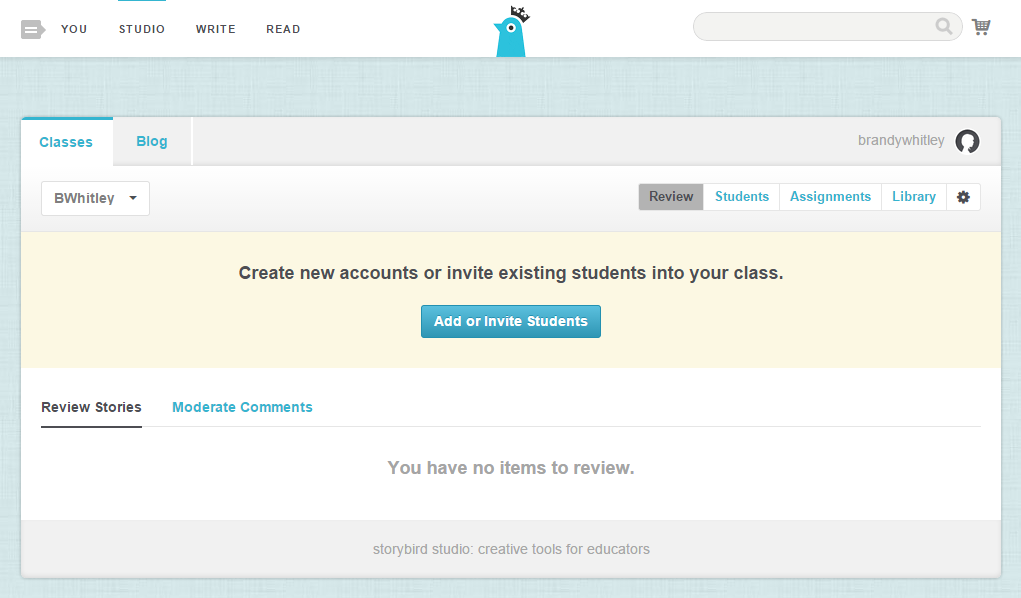
To get started, first create a teacher account at storybird.com/educators. After creating your account and setting up your class information, you will see your dashboard or Studio.
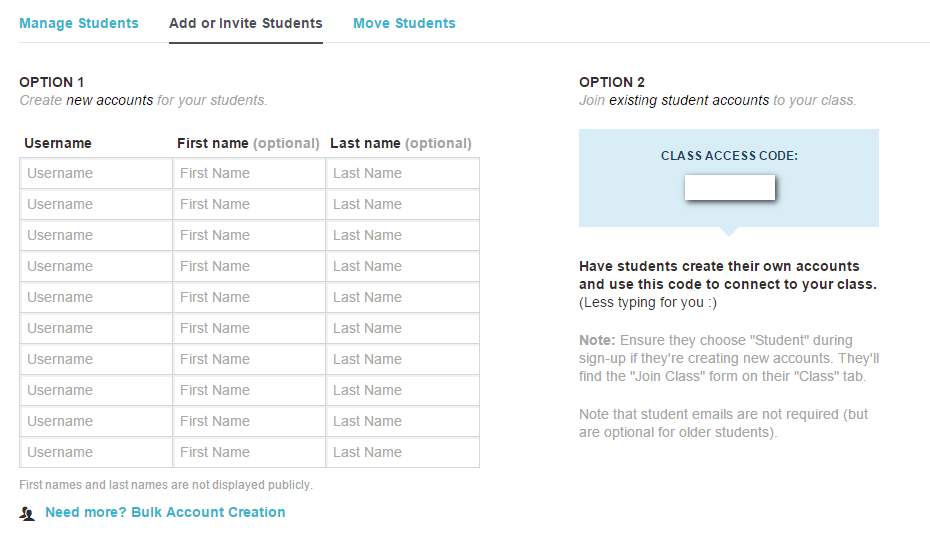
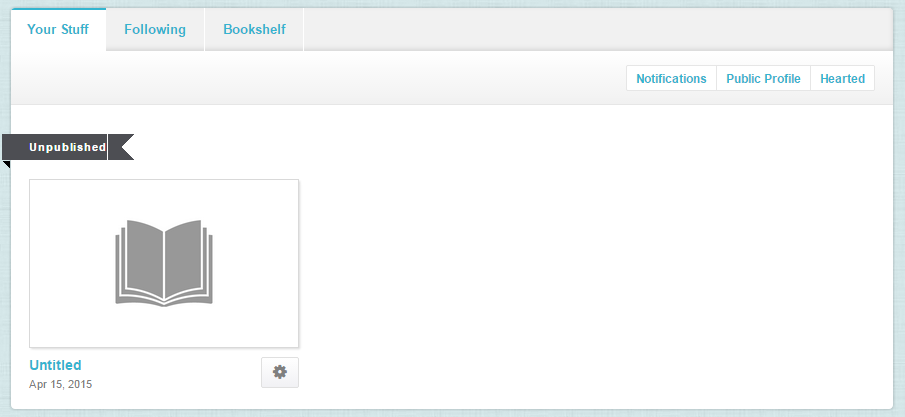
Here is where you can add students, create assignments and view your class library. Add students by creating a roster or have the students join by using the class access code.
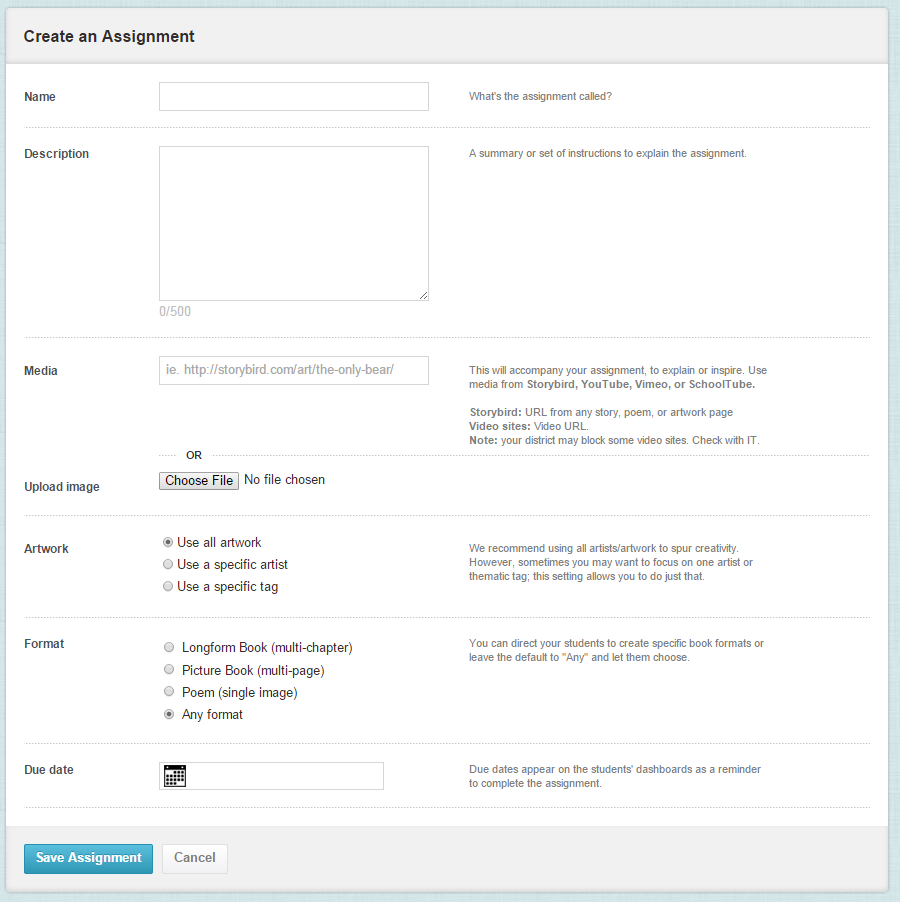
Add Assignments quickly with little or a lot of detail.
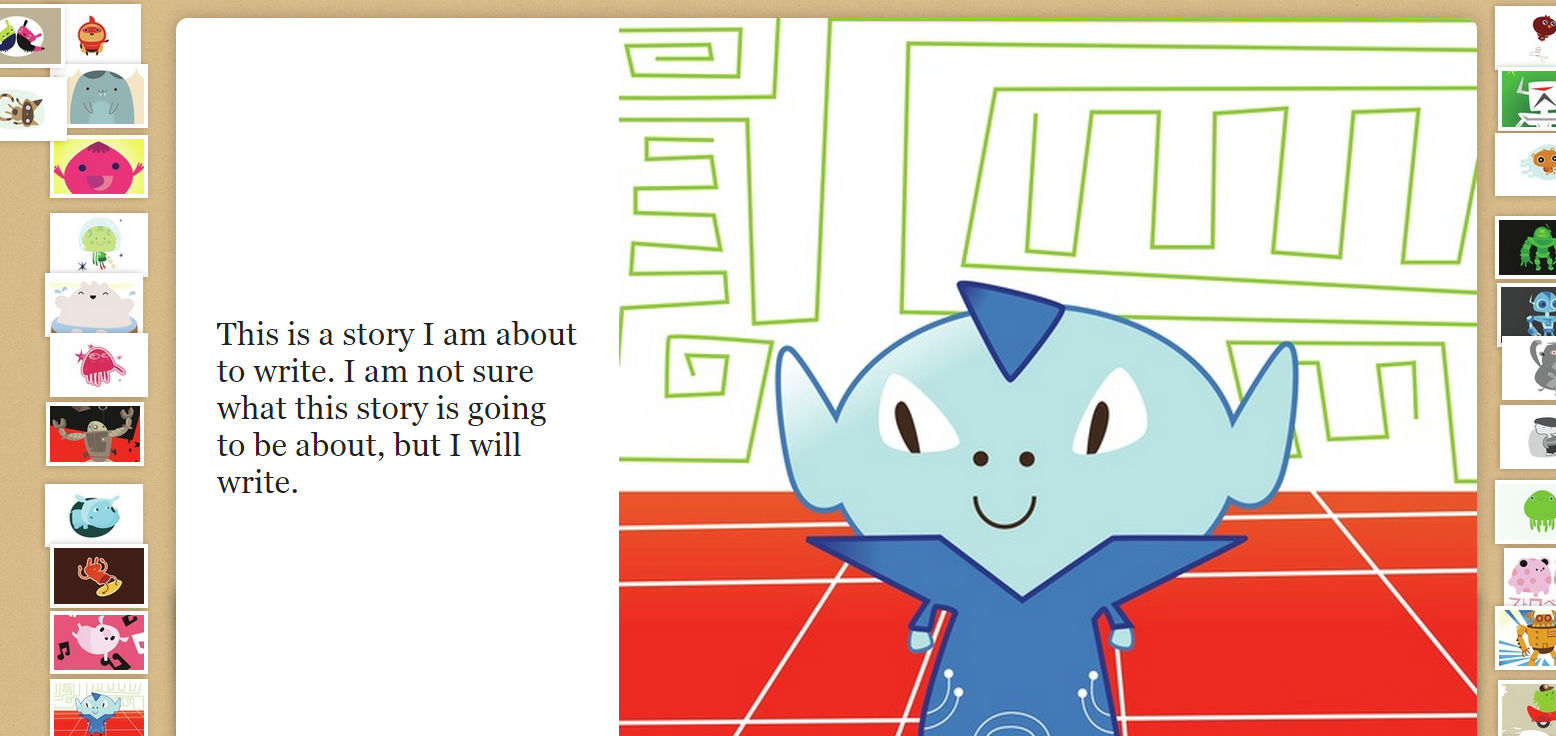
Write your own stories to share with your class by clicking on “Write” at the top of the screen. Find the image set you wish to use in the story, and click “Use this art”, select the story format, and use the editor to drag and drop desired images and type the story text on the pages.
Save pages as you create by clicking on the save button at the bottom of the screen, and use the menu button to save and close, Publish, or add a collaborator.
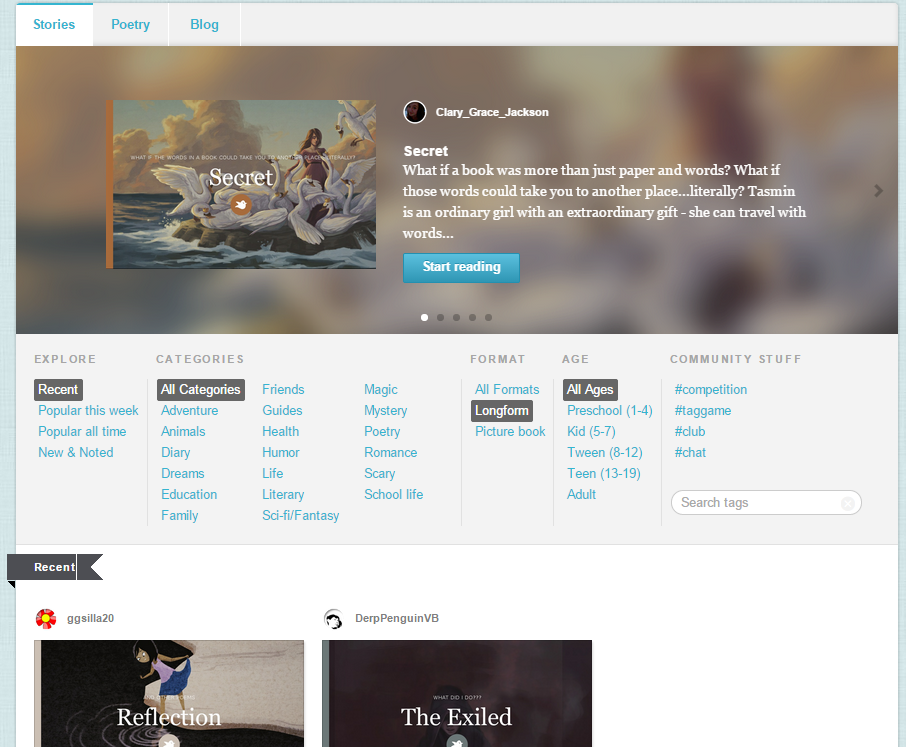
Read shared stories by clicking on “Read” at the top of the screen. Select content by popularity, categories, format, age, or search by tags. Follow authors, artists, and add content to your Bookshelf to build up your “library”.
Questions or comments?
Email me at brandywhitley@johnston.k12.nc.us
Labels:
collaborative
,
common core
,
English Language Arts
,
stories
,
Wednesday web tool
,
writing
Wednesday, October 8, 2014
Wednesday Web Tool: OER: Common Core Education Resources for Grades 6-12
Happy Wednesday!
Today we are exploring an excellent collection of common core educational resources for our secondary grades. All of the resources are aligned to common core standards and available for all subject areas. Many of the resources are based in real world problems and feature discussions on current events. This collection of resources is best for secondary grades due to the subject matter of some of the resources and the skills required.
To get started, go to: https://www.oercommons.org/
You can browse the resources by topic area along the bottom of the page or click on "Browse All" at the top of the page. Let's look at Topics, Social Sciences and "Social Entrepreneurship"
There are 76 resources available, you can refine the search on the left side of the screen to get items related to your grade or material type desired.
I opened the first resource and I can see more information about the resource, as well read reviews of the resource and evaluate the resource myself. OER depends on the network of users to evaluate the content. Please help other teachers by evaluating the resources you use. This will lead to a better experience for everyone.
From this screen I can click on the resource to view it and use it for my classroom.
Another option is to use tags to find resources. If I like this resource and want similar resources, I can click on one of the tags to view resources that have the same tag.
Here I clicked on the tag "Social Responsibility" from the previous resource and OER found 12 different resources that are tagged with social responsibility.
You can save resources if you create a free account. You can also bookmark your favorite resources if you do not wish to create an account.
OER Commons has a wide variety of resources to use in your classroom and I hope you find a few favorites to share with your students.
Questions? Comments?
Please email me at pamelabatchelor@johnston.k12.nc.us
Wednesday, January 15, 2014
Wednesday Web Tool: Mapping Media to the Common Core
Today's web tool provides a perfect match between media skills and Common Core objectives. Mapping Media to the Common Core is free and simple web tool that asks users what they want to create and provides web tools and resources to make your digital project a reality. Dr.Wesley Fryer created the site as part of his workshop series and the site is available as a free resource. This is an excellent tool for planning projects and incorporating media skills into your classroom lessons.
To get started, go to: http://maps.playingwithmedia.com/
Let's click on Geo Map.
The page starts with a definition of what a Geo Map is and gives tools, resources, and examples of both student and educator created Geo Maps. There are even tutorials and reading selections to further your understanding of the media skill and why it is used.
All pages follow the same format and provide some outstanding examples of projects your students can create.
Example of visual note-taking.
Example of interactive writing-classroom blog.
I hope this website gives you some new ideas and resources for connecting media to Common Core.
Questions? Comments?
Please email me at: pamelabatchelor@johnston.k12.nc.us
Thursday, February 14, 2013
Common Core Widget
Wanted to share this link which gives you the code to add a Common Core Widget to your website:
http://www.masteryconnect.com/learn-more/core-app.html Directions for how to add it are on this page as well. Note you can direct the app to start at at certain grade level.
This will create a small tab on the side of your website that puts the Common Core at your fingertips. These work great on SchoolCenter. Thanks to Polenta for finding this and sharing!
Subscribe to:
Posts
(
Atom
)